Press Kit.
Everything you need to write about Weekr — the short story, the facts, and the brand assets. Reach us any time via the contact form.
Last updated 16 September 2026.
About Weekr
One-liner
Weekr is a weekly planner for iPhone, iPad, and Mac — tasks, habits, calendar, and reminders on one screen, goals you link tasks to, and an honest record of every week, with Vik, a planning coach who suggests and never writes into your week without you.
Short boilerplate
Weekr is a weekly planner for iPhone, iPad, and Mac, made in London by Vlad Selitbovskyi and Digit Places Limited. It puts tasks, habits, your calendar, and your Reminders on one screen, seven days at a time, so you plan the week rather than just the day. Goals are set in your own words — for a week, a month or a year — and linked to tasks, so every week shows what it did for them. Performance keeps an honest record: what you planned, what happened, where your time went. Vik, the planning coach, reads it and suggests; nothing is written until you tap. No account, no third-party services, private iCloud sync.
The idea
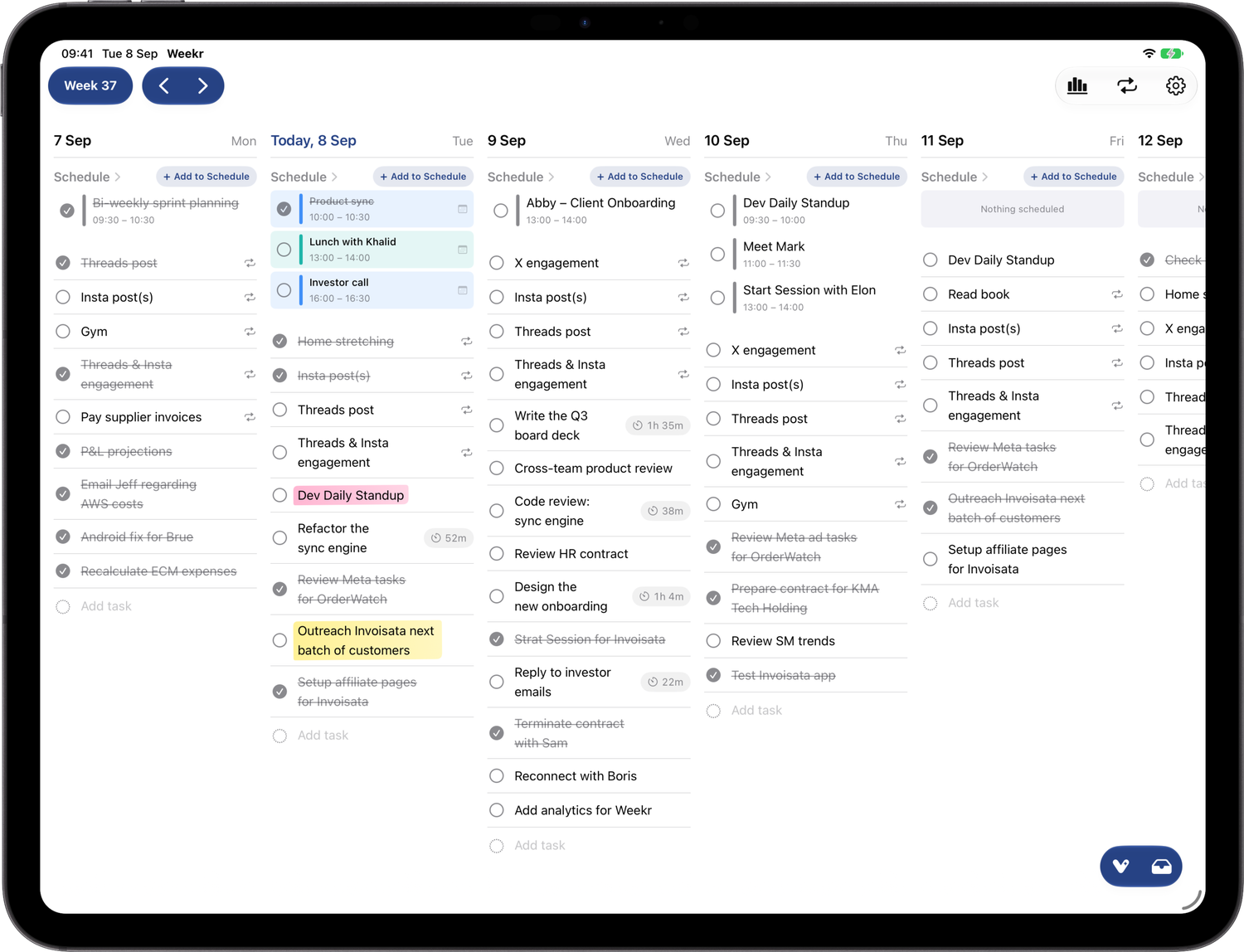
Most planners reward you for adding more. Weekr is built around finishing. It puts the whole week on one screen — tasks, habits, your calendar, and your Reminders, seven days side by side — so you can see what’s coming, move things as plans change, and block out when you’ll actually do them. Set goals in your own words for a week, a month or a year, and link the tasks that serve them: Weekr counts what each week did for every goal. At the end of the week you get an honest record — what you planned and what happened — not a streak you’re afraid to break. And Vik, the planning coach, reads that record and suggests what’s worth doing next. He offers; you decide.
Fast facts
- Product
- Weekr: Weekly & Daily Planner
- Category
- Weekly planner — tasks, habits, calendar, reminders, goals, focus
- Platforms
- iPhone, iPad, Mac (Apple silicon & Intel)
- Status
- Available on the App Store and the Mac App Store
- Download
- App Store · Mac App Store
- Price
- Free to use, with no time limit · Weekr Max £2.99/mo, £19.99/yr, or £49.99 once
- Languages
- English, Ukrainian
- Accessibility
- VoiceOver, Voice Control, Dynamic Type, Reduce Motion, dark mode
- Privacy
- No account and no third-party analytics or advertising SDKs. Tasks stay on the device and sync through the owner’s own private iCloud. Intelligence runs on the device with Apple Intelligence, and Weekr says so on screen when an answer used Apple’s Private Cloud Compute instead.
- Maker
- Vlad Selitbovskyi · Digit Places Limited
- Location
- London, United Kingdom
- Website
- theweekr.com
- Press contact
- theweekr.com/contact
What it does
The week
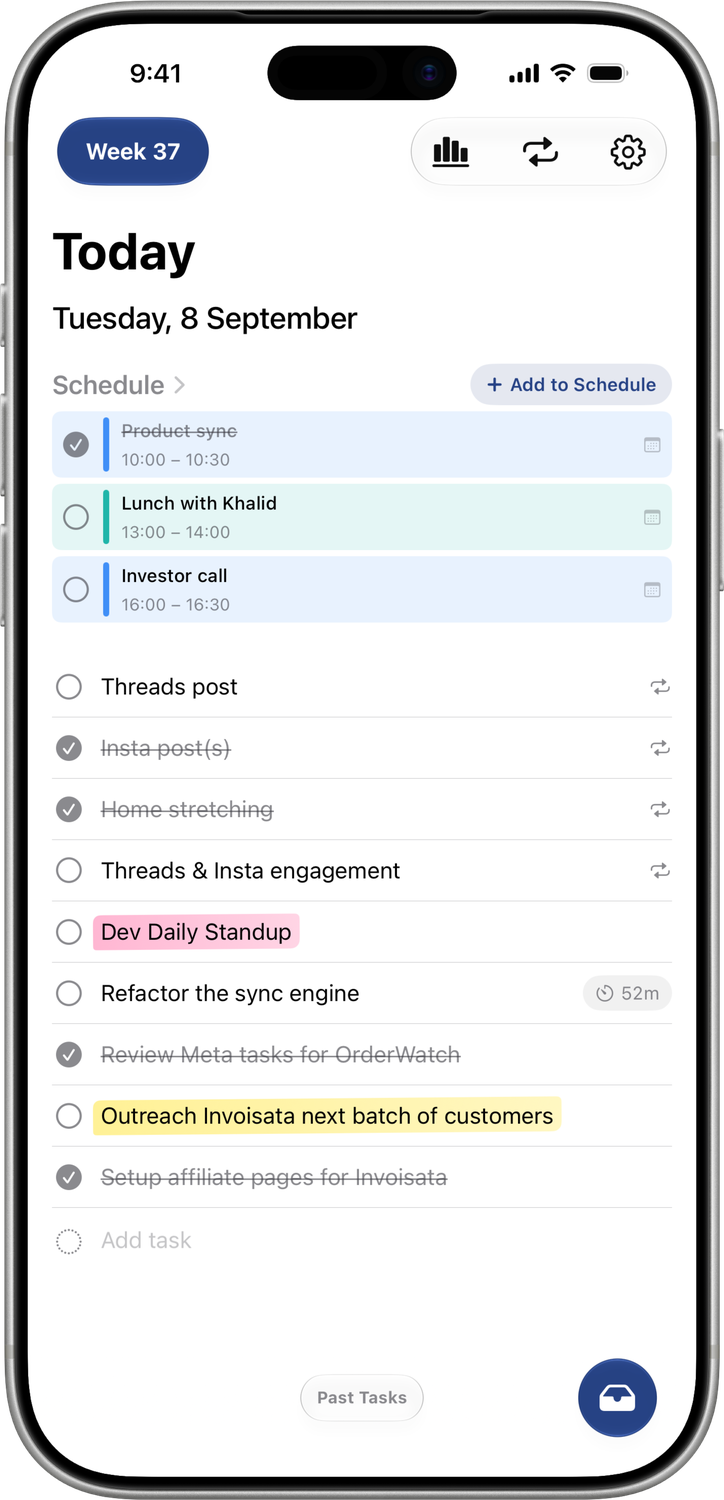
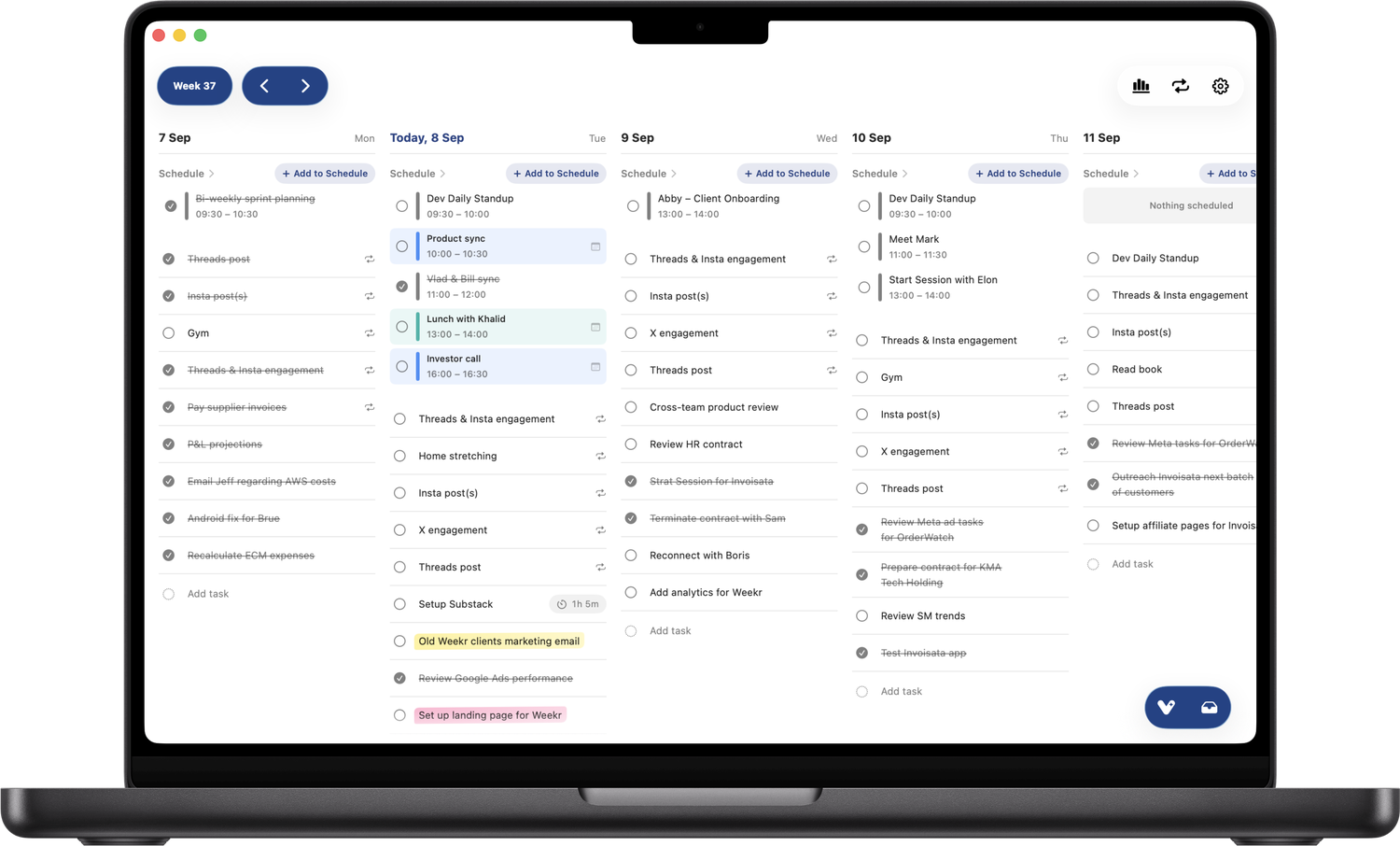
All seven days side by side on iPad and Mac, or swipe day to day on iPhone. Drag tasks between days as priorities shift, and drag one onto a time to block it out around your events.
Goals
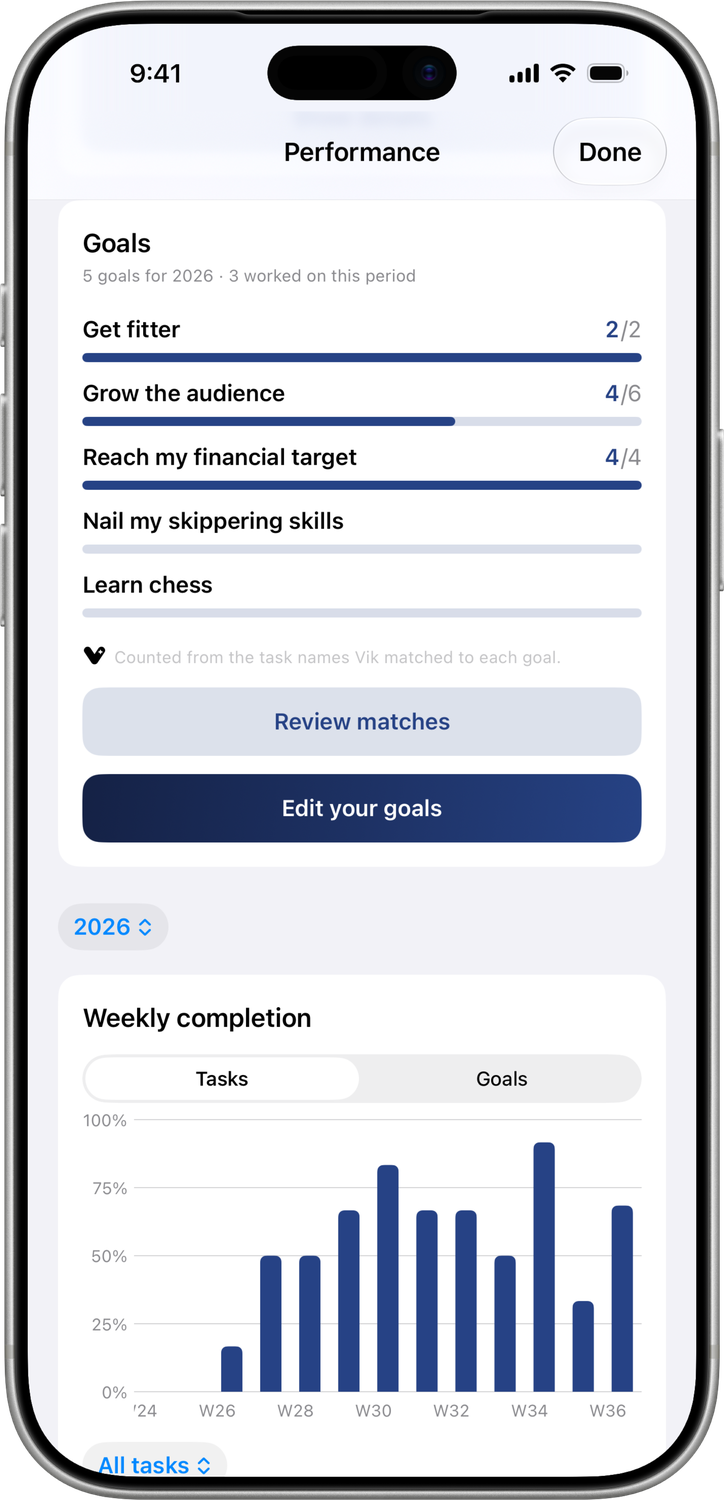
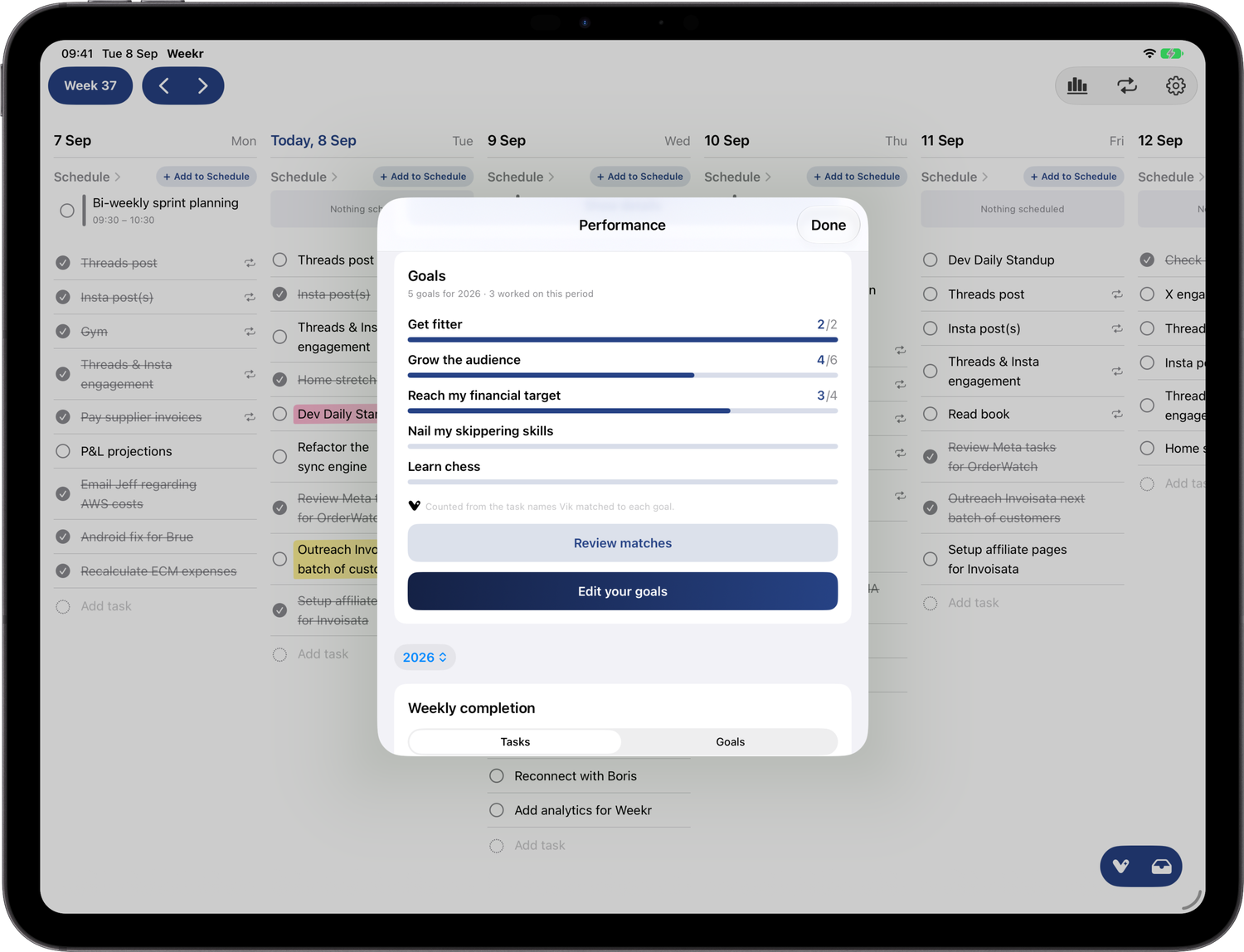
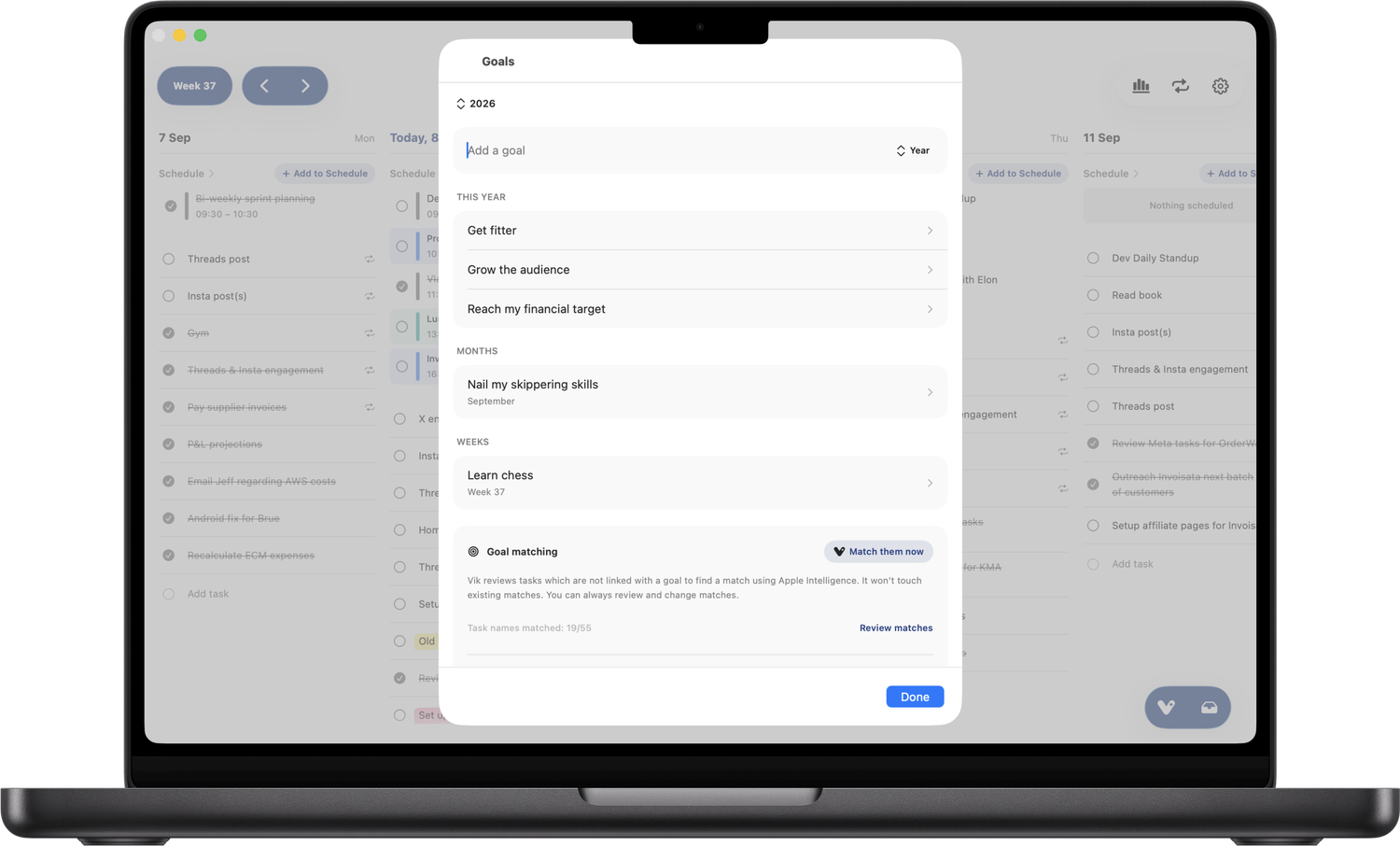
Goals are written in the person’s own words — “get in better shape”, “grow the business” — for a week, a month or a year. Link the tasks that serve them; a task can serve more than one goal, and each counts it in full. Weekr never scores a goal against a target it invented: it counts what each week actually did.
Habits
Daily, weekly, every two or three weeks, monthly, only in the months you choose, or on a rule like “the first Monday”. They appear automatically on the right days, and a habit kept most weeks still counts as a habit.
Calendar and Reminders
Connect a calendar to see events right above each day’s tasks and plan around meetings instead of double-booking. Connect Reminders lists to see them beside your tasks — tick one off in Weekr and it completes in Reminders too.
Focus
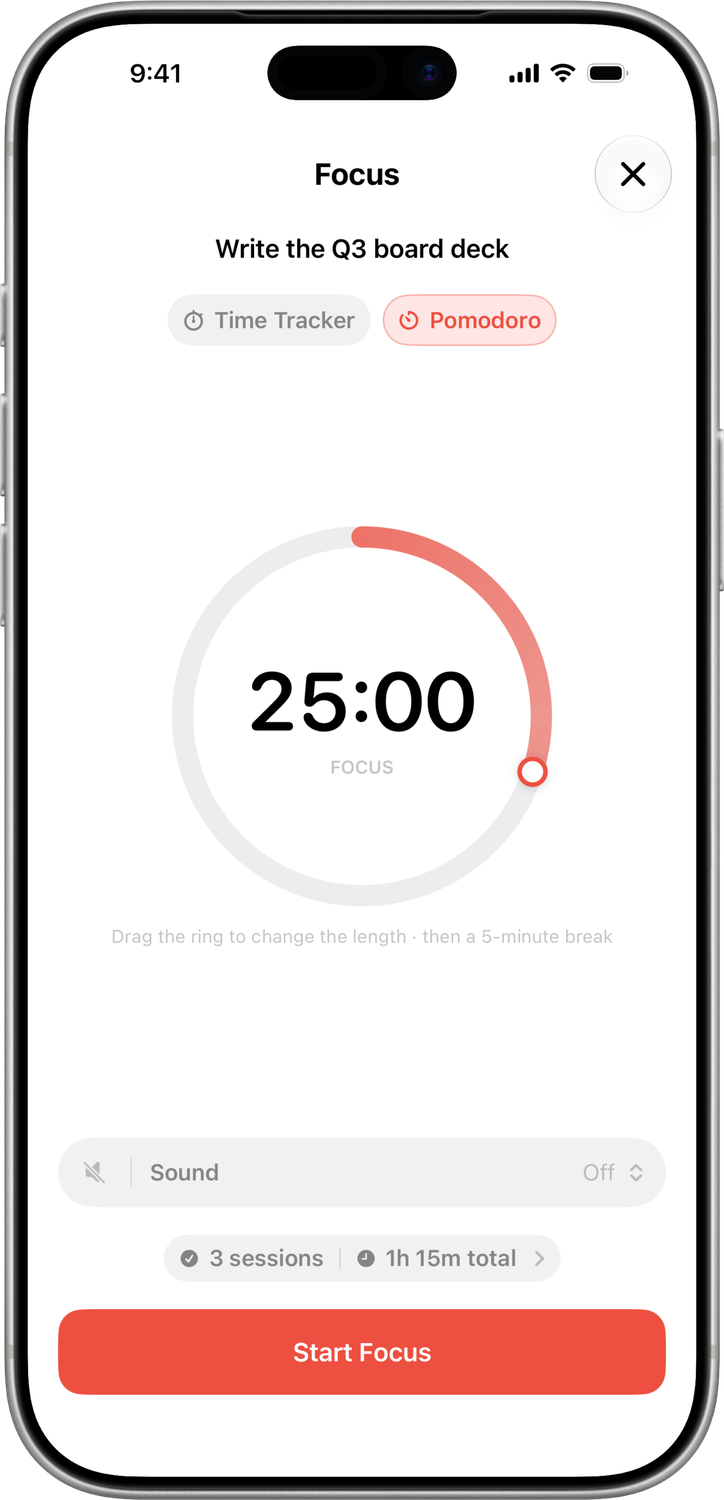
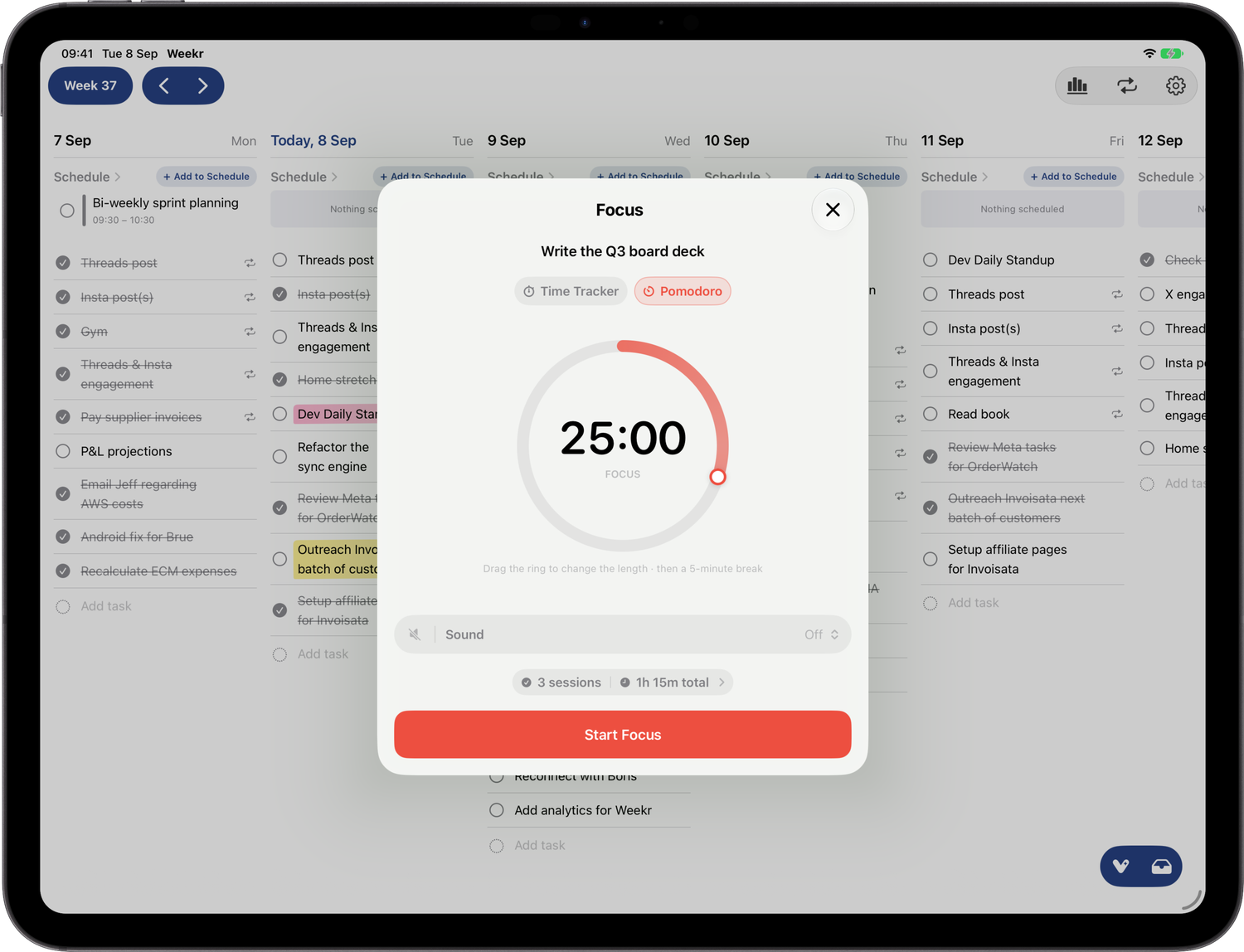
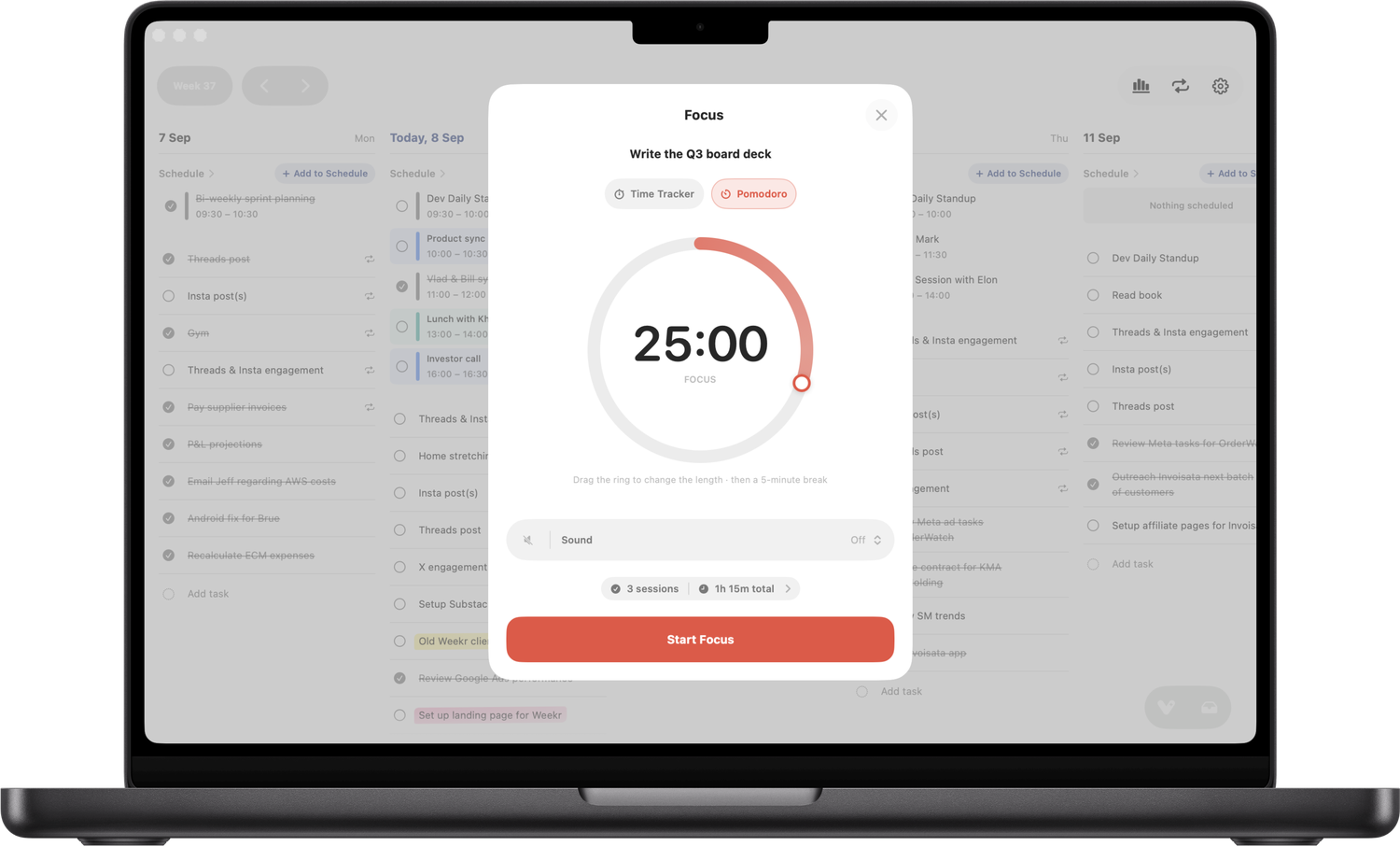
Start a focus session on any task, as a Pomodoro timer or a stopwatch, with a Live Activity on the Lock Screen and in the Dynamic Island. Time is banked per task, so you can see where your hours actually go.
Performance — the honest record
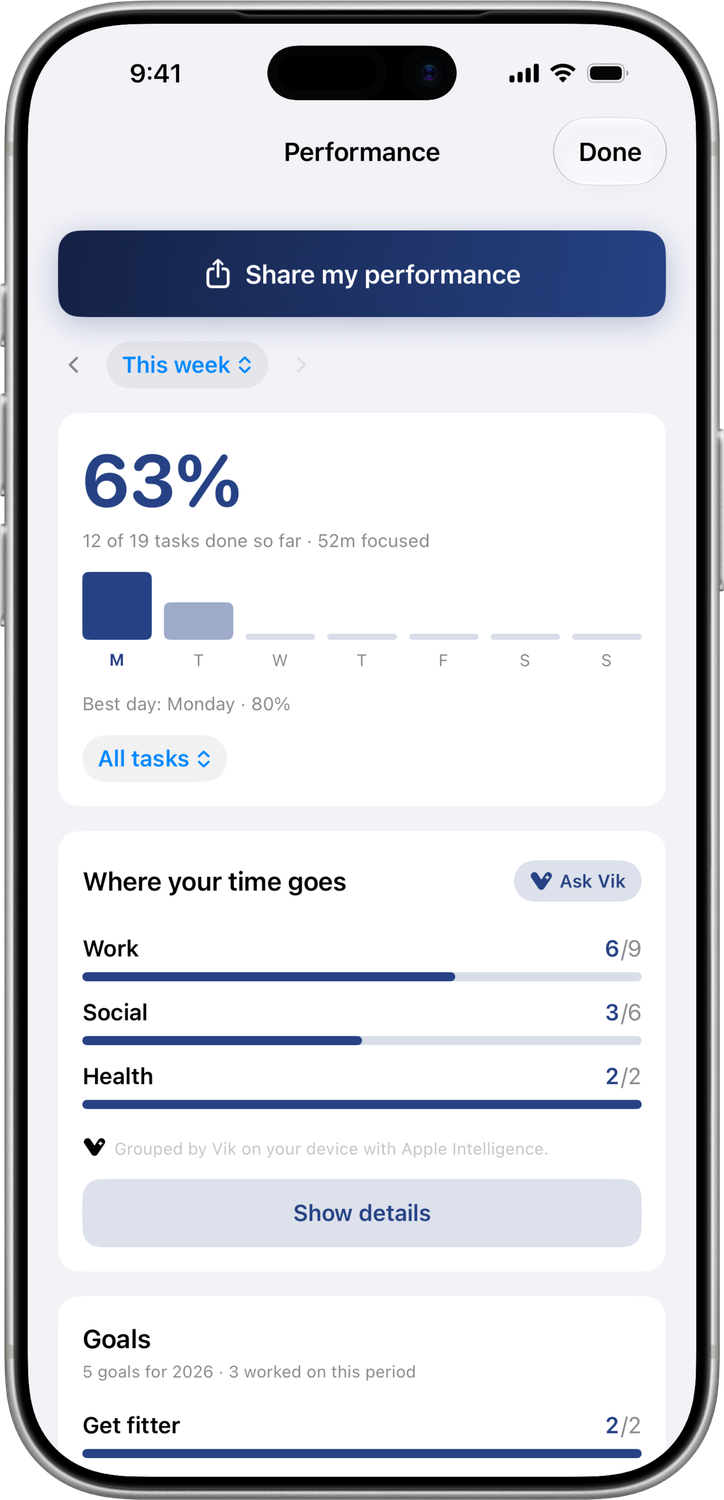
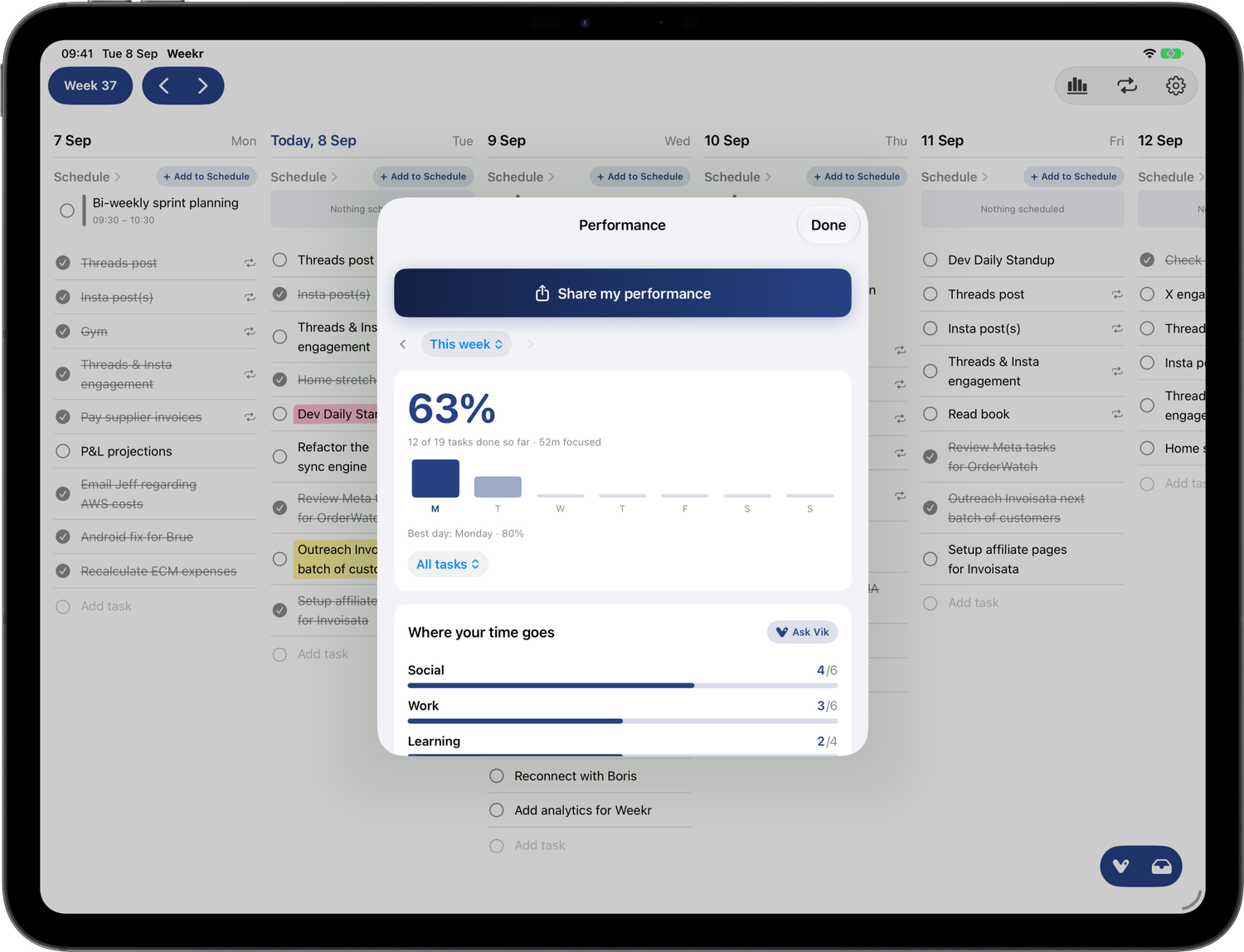
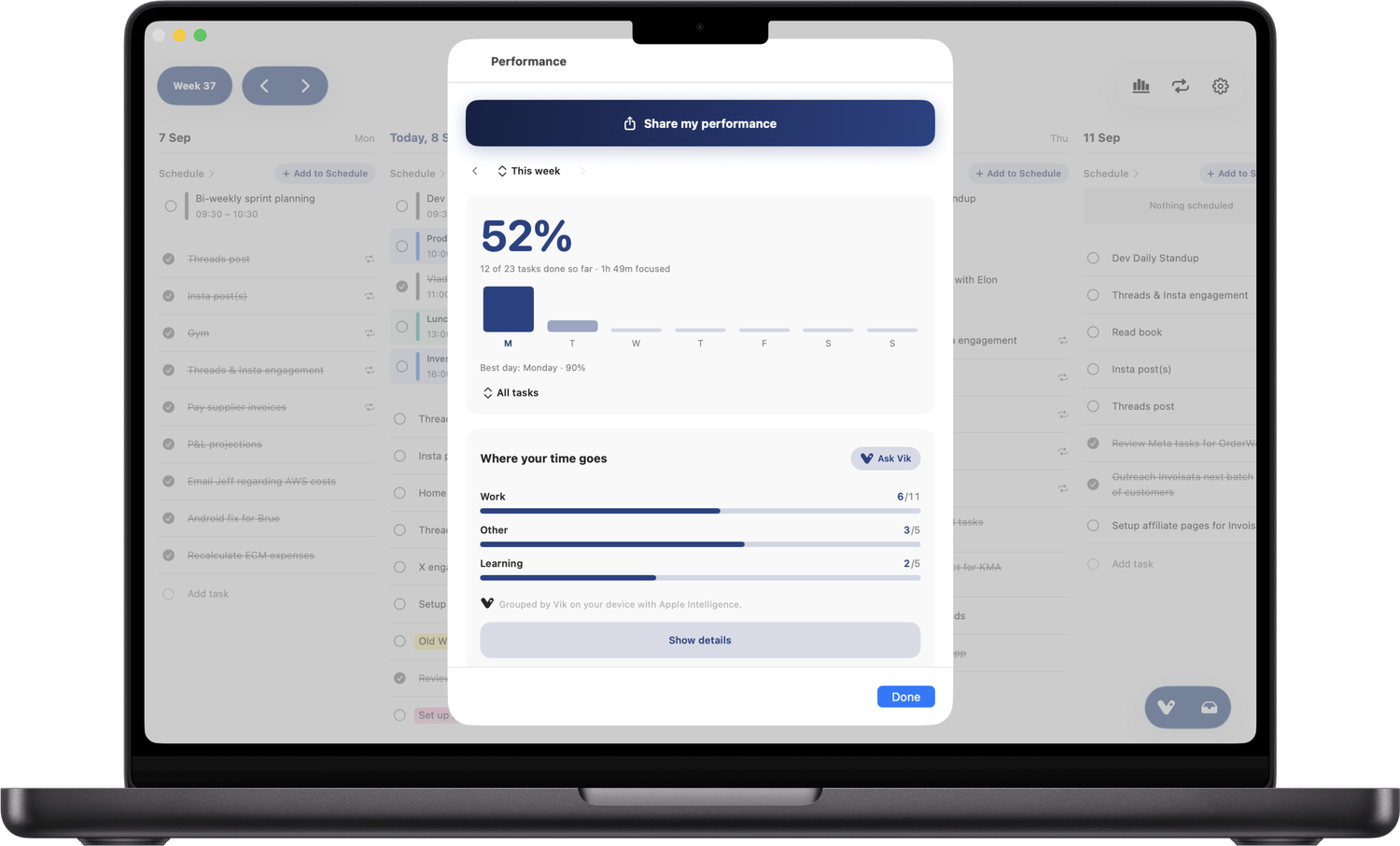
Pick any week, month, or year, switch between tasks and goals, and tap any figure to see the tasks behind it. Past days stay as they were — what you planned and what happened. The unfinished review gathers what you didn’t get to, so nothing quietly disappears, and a day marked off doesn’t count against you.
Share to Weekr, or ask Siri
Share text or a screenshot from any app — a message, a mail, a photo of a list — and Weekr turns it into tasks, each showing the day it will land on before anything is saved. Or say it: “Add a task to Weekr”, then the task out loud. Weekr reads the day out of the sentence, so “call the dentist on Thursday” lands on Thursday.
Vik, the planning coach
Vik reads what you planned against what you did — your week, not productivity advice in general — and tells you what he finds. He offers a card: add this task, start this habit, set this goal. Nothing goes into your week until you tap it. He has three settings: plain states it once and stops, motivational starts you before you feel ready, ruthless names the gap and does not soften it. Requires Apple Intelligence on a supported device.
Widgets
Home Screen widgets for today, this week’s completion, your goals, and where your time went, plus two Lock Screen widgets.
Private by design
There is no account to create. Tasks live on the device and sync through the owner’s own private iCloud — we can’t read them. There are no analytics or advertising SDKs in the app. Full VoiceOver and Voice Control support, Dynamic Type, and Reduce Motion.
Brand & logos



Brand colour: #2448D6 (accent) on a #132672 → #2347D6 icon gradient. Typeface: Nunito.
Screenshots
Framed device mockups, transparent PNG. Click any one to download it. The screens are the app’s own, unretouched; for unframed originals, a particular size, or an interview, get in touch.